Notes that stay with the site. And check what you paste.
Write notes for any site. Save the addresses and accounts you send money to, and Noteproof checks what you paste or type against them, on the sites you choose.
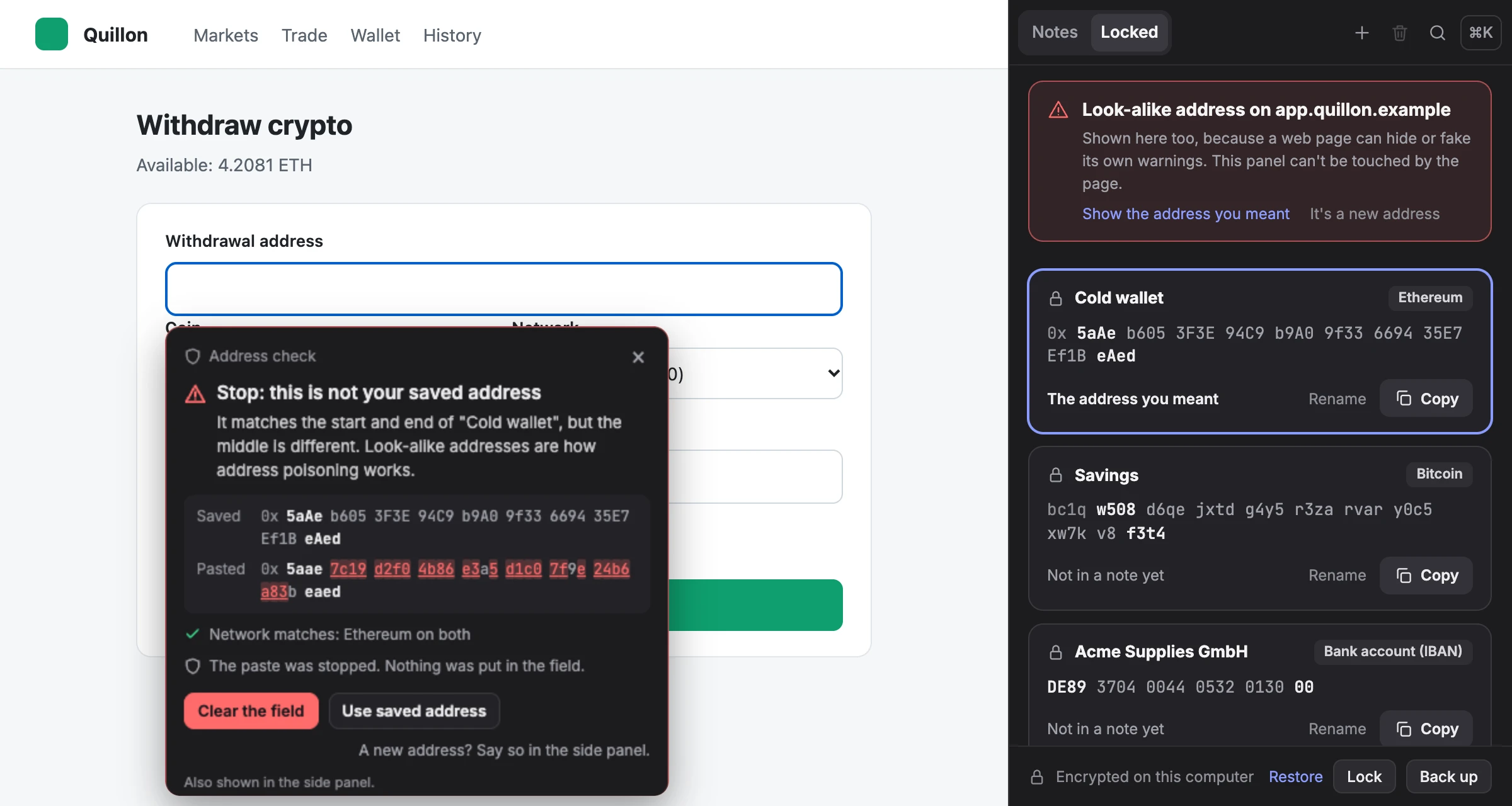
One panel, two jobs
What do you need beside the page?
For your notes
Notes that stay with the site
Write a note for one page, a whole site or a pattern of pages. It comes back when you return, saved as you type.
See the notes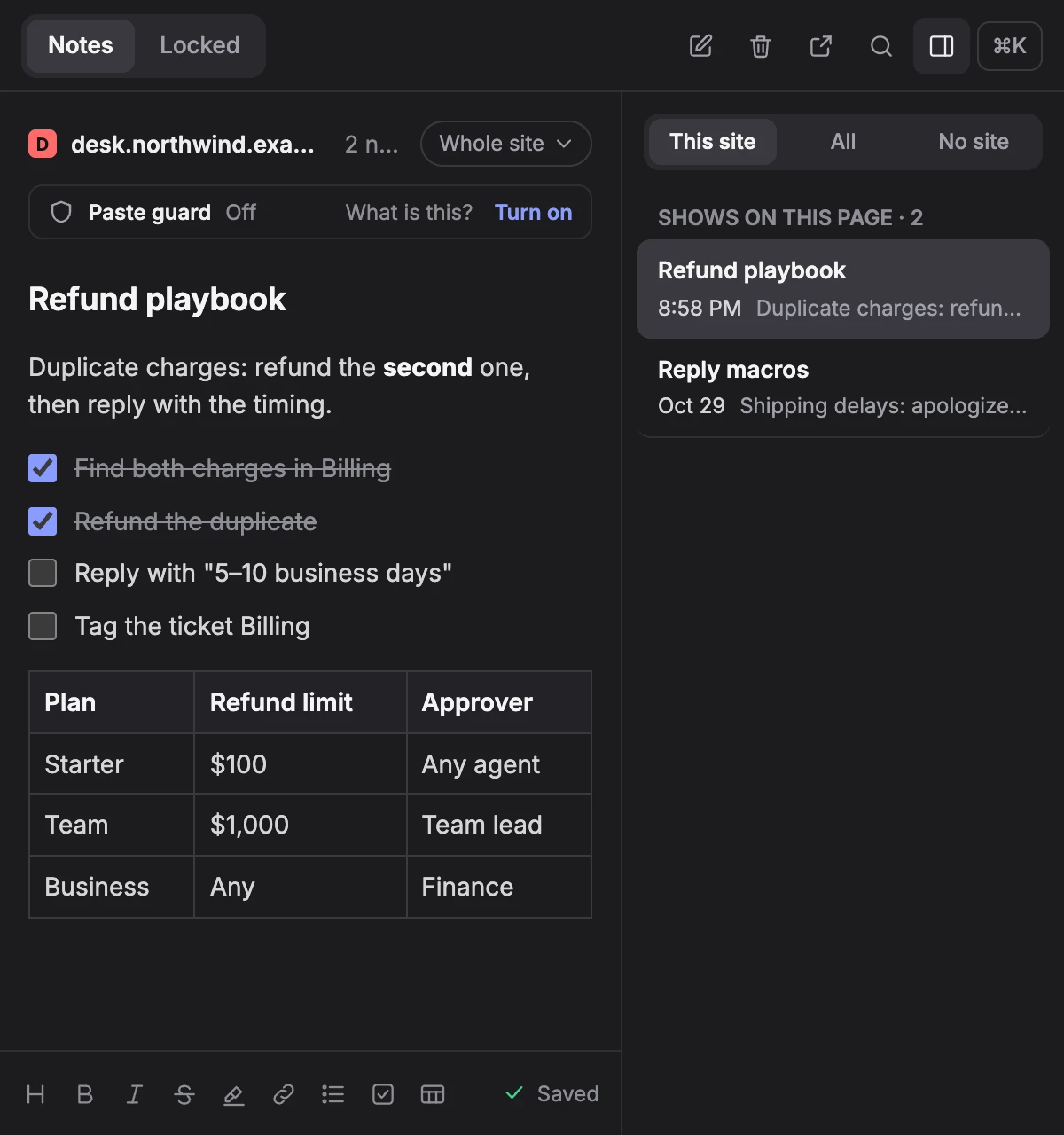
For sending money
A check before you send
Save the addresses and accounts you send money to in Locked, the panel's second tab. On the sites you choose, what you paste is checked against them.
See how it checks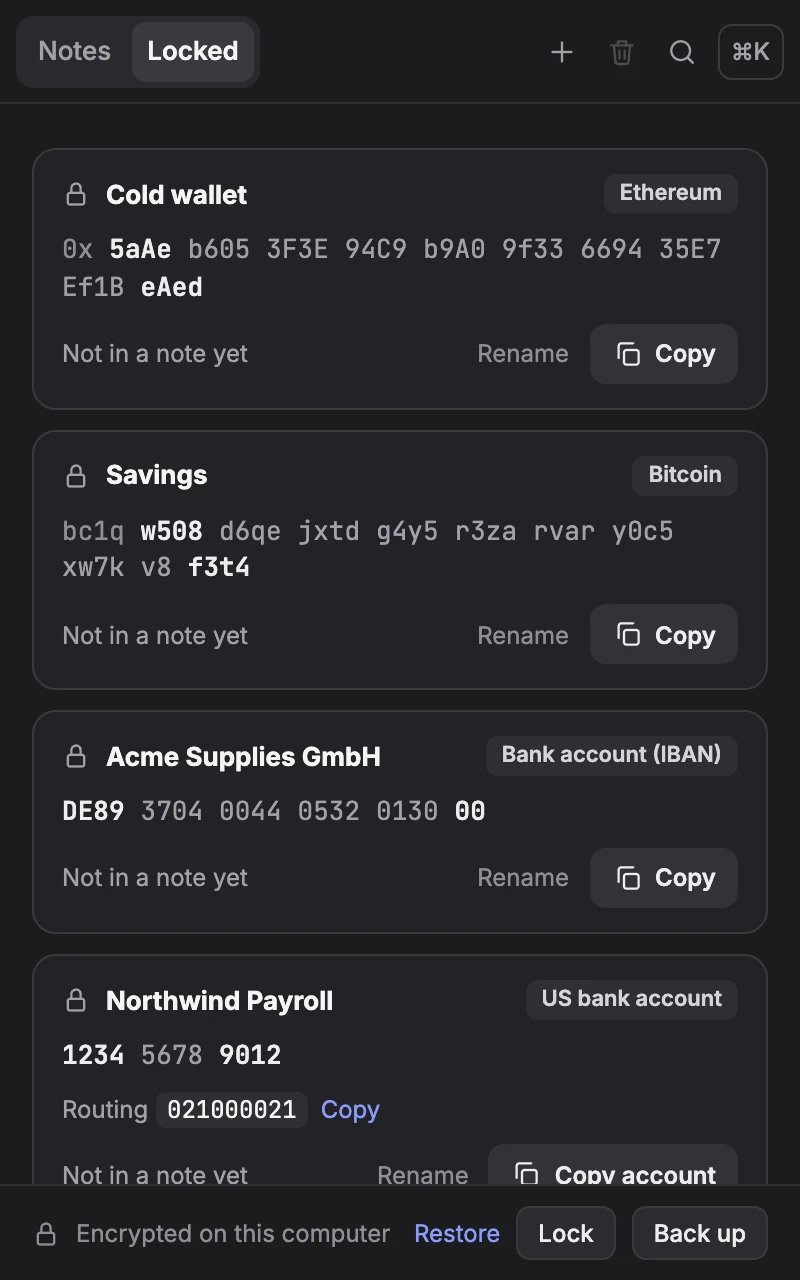
How it checks
Three steps to a safer paste.
Save it in Locked
Paste an address, a bank account, an exchange user ID or a payment handle once. Noteproof checks it, and asks first if it looks like one you already saved.
Turn the guard on for a site
Your exchange's withdrawal page, or your bank's payment page. Chrome asks you first, one site at a time.
Paste as usual
What you paste is compared with what you saved, and checked again when you press send.
Try it here
Paste a look-alike and see what happens.
This runs the paste guard's own check, right in this page. The saved items are public test values, and nothing is sent anywhere.
Saved in Locked
Public test values, nobody's. Never send anything to them.
Features
One panel beside the page, for notes and for money.
Notes that stay with the site
Write a note for one page, a whole site or a pattern of pages. It's there when you come back, and the toolbar icon shows a dot on pages that have notes.
- A side panel beside the page, not over it, and a pop-out window that can stay on top.
- Headings that fold, checklists, tables, highlights and links. ⌘K (Ctrl+K on Windows) for every action.
- Add selected text from any page to its note: right-click, or ⌥⇧A (Alt+Shift+A).
- Saves as you type and keeps earlier versions. Deleted notes wait 60 days.
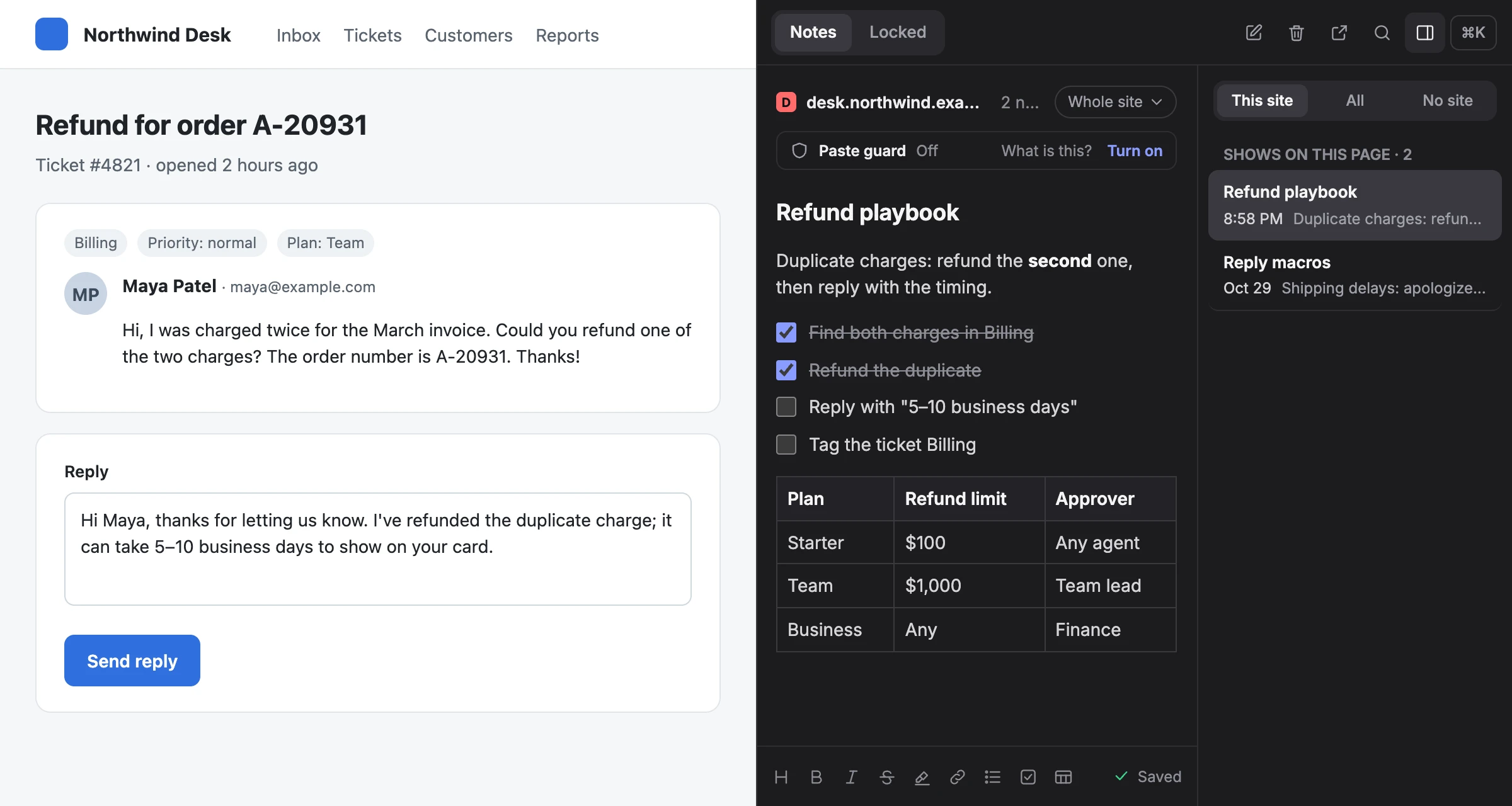
Locked: details that can't change by accident
The details you send money to, read-only and copy-only, in one place.
- Crypto addresses with their network and memo or tag: Bitcoin, Ethereum and Ethereum-style networks, Solana, Tron, XRP, Stellar, TON, Cosmos and more.
- Bank accounts: IBANs with their BIC, and US, UK, Canadian and Australian account numbers with their bank's number.
- Exchange user IDs and payment handles (PayPal, Venmo, Cash App, Revolut, Wise, Zelle).
- ID numbers such as an SSN or a passport number, masked until you press Show.
- Encrypted with a password only you know. Locked locks itself after 15 minutes without use.
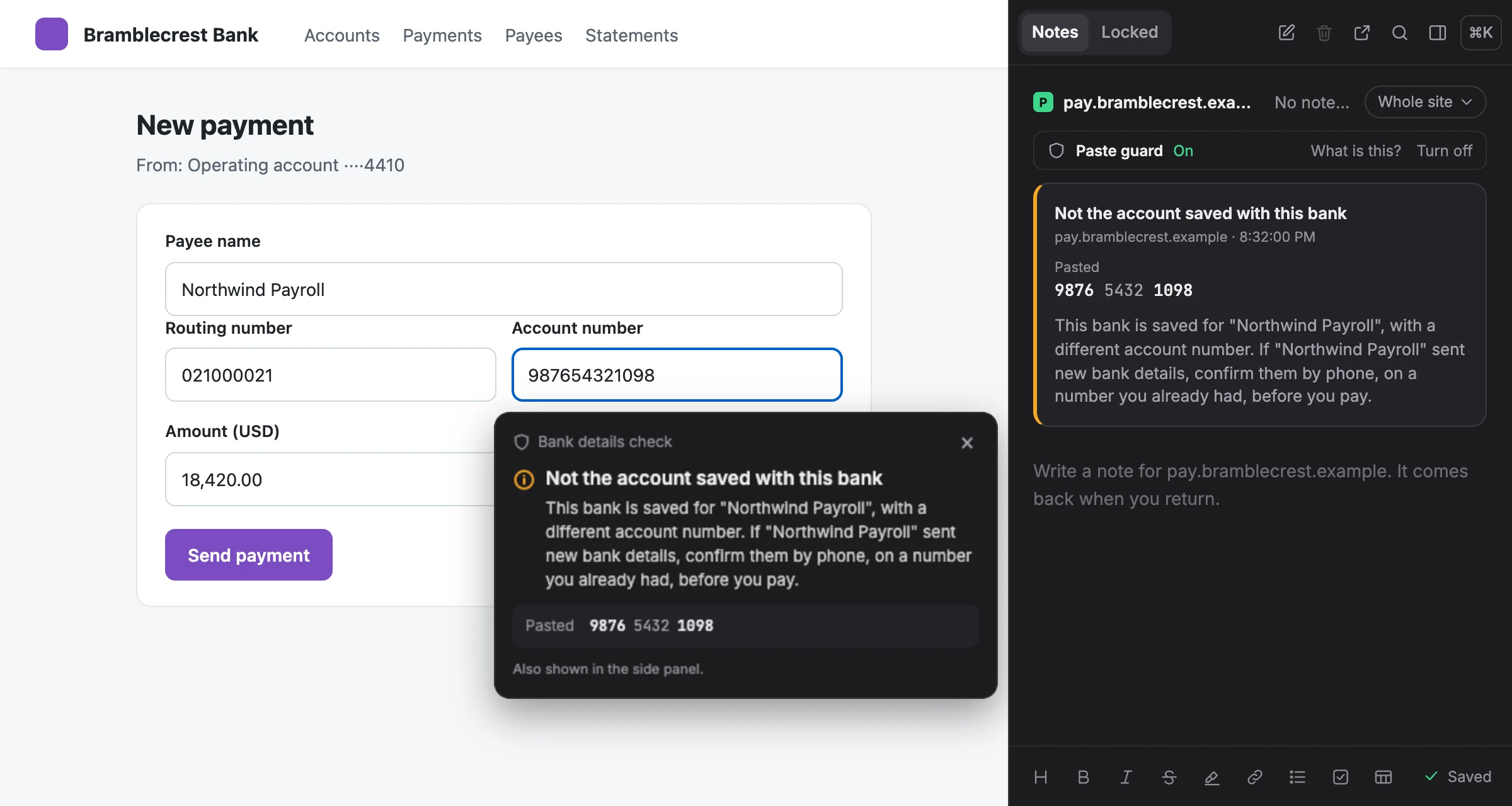
Changed bank details? It warns you first.
“Our bank details have changed” is how invoice fraud starts. A saved bank with an account you never saved is flagged before you pay.
- Checks the routing number, sort code or BSB beside the account, and the BIC beside an IBAN.
- A look-alike account number is red. The paste is stopped.
- The advice is always the same: call them on a number you already had.
Private by design
Your notes and your money details stay yours.
- Everything stays on your computer.
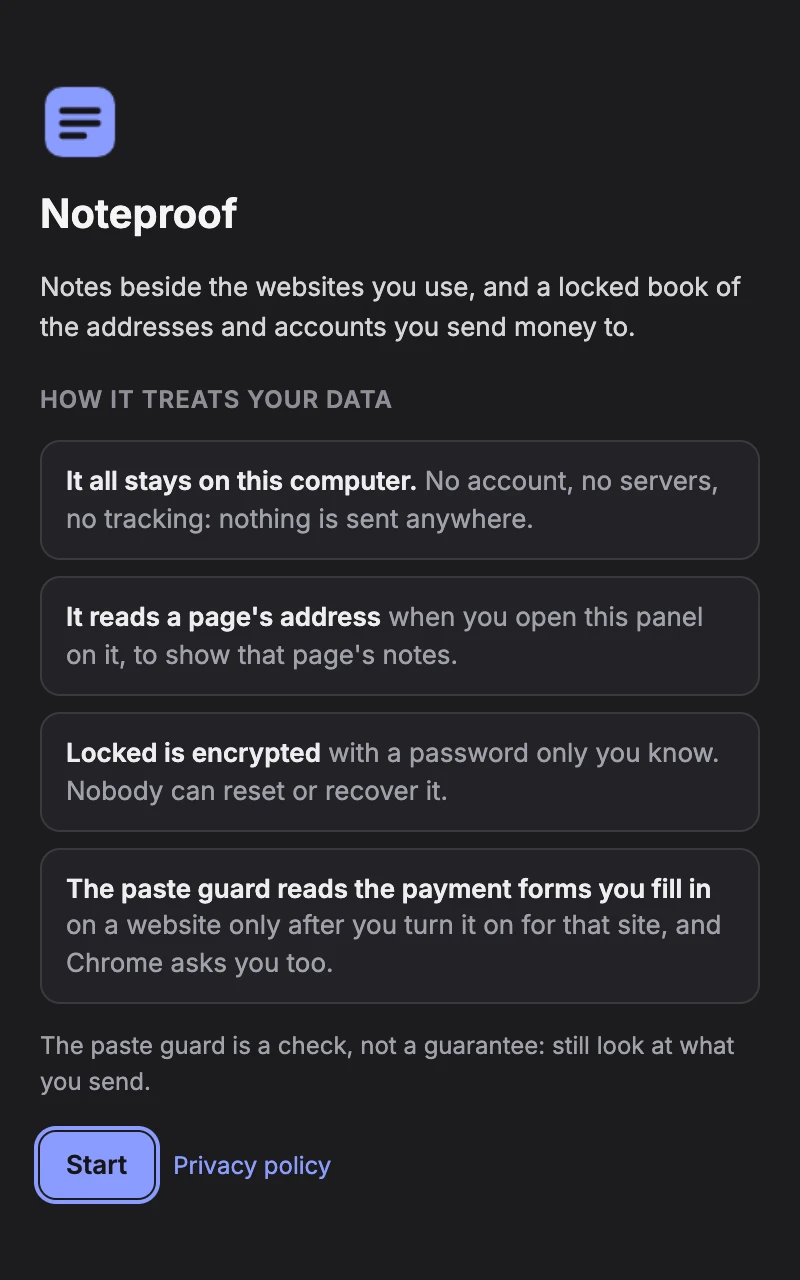
- No account, no servers, no ads, no analytics. Noteproof makes no network requests.
- Locked is encrypted.
- With a password only you know. Nobody, us included, can reset or recover it.
- It reads a site only when you say so.
- The paste guard works only on the sites you turn it on for, and Chrome asks you too.
- Recovery phrases and private keys are refused.
- In Locked, and when pasted into a note. One typed into a note by hand is flagged until you delete it.
- Readable code.
- Nothing in it is minified. Read the privacy policy.
A check, not a guarantee
A hostile page can still do things a browser extension can't see, and Noteproof can't see wallet popups or apps on your phone. Always confirm changed payment details with the person, on a phone number you already had.
Questions
Good to know.
Is Noteproof free?
Yes. It's free to install and use.
Does Noteproof send my notes or addresses anywhere?
No. It has no account and no servers, and it makes no network requests. Everything stays in Chrome on your computer.
Which sites does the paste guard check?
Only the ones you turn it on for, such as your exchange's withdrawal page or your bank's payment page. Chrome asks you first, one site at a time. Notes work on every site without it.
Which networks and accounts does it know?
Crypto: Bitcoin, Ethereum, BNB Smart Chain, Polygon, Arbitrum One, Base, Optimism, Avalanche C-Chain, Tron, Solana, XRP, Stellar, TON and Cosmos Hub. Banks: IBANs with their BIC, and US, UK, Canadian and Australian account numbers with their bank's number. Also user IDs on Binance, OKX, Bybit, KuCoin, Bitget, Gate, MEXC and Coinbase, and PayPal, Venmo, Cash App, Revolut, Wise and Zelle.
Does it work in wallet popups or phone apps?
No. A browser extension can't see inside another extension's popup, such as a wallet's, or apps on your phone. It checks what you paste on the websites you turn it on for.
What if I forget my Locked password?
Nobody can reset or recover it, us included. Keep it somewhere safe.
Why won't it save my recovery phrase?
A recovery phrase or a private key gives full control of a wallet, and it shouldn't sit in a browser extension. Noteproof refuses them in Locked and when pasted into a note; one typed into a note by hand is flagged until you delete it.
Do my notes sync between computers?
No: everything stays in Chrome on this computer. Locked has Back up and Restore, and ⌘K (Ctrl+K) exports your notes as Markdown.